Split a GIF into frames
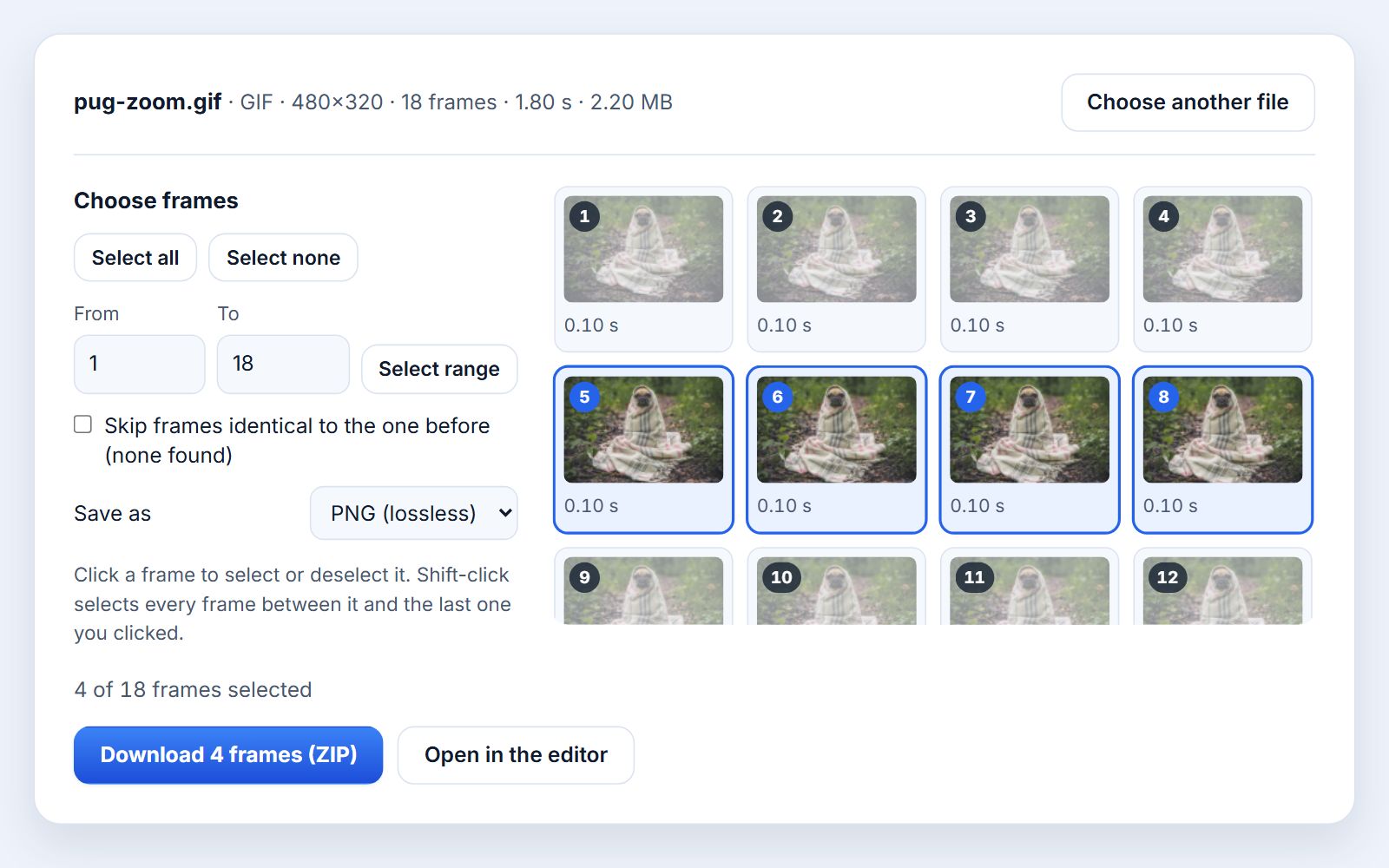
Open an animated GIF, APNG or animated WebP and see every frame laid out with its number and how long it stays on screen. Pick the frames you need and download them as PNG, JPG or WebP images, one at a time or together in a ZIP.
From animation to images in three steps
- 1
Open the animation
Choose a GIF, APNG or animated WebP, or drop it on the page. Every frame is decoded in your browser and shown in a grid with its number and delay.
- 2
Pick the frames
All frames start selected. Click a frame to leave it out or add it back, Shift-click to change a whole run, or type a range such as 12 to 30.
- 3
Download
Choose PNG, JPG or WebP and press Download. One frame saves as a single image; several arrive together in one ZIP file.
Why every frame comes out complete
Most GIFs do not store a full picture for each frame. To save space, a frame usually holds only the rectangle that changed since the one before, plus a disposal instruction that says what happens to it afterward: leave it, clear it to transparency, or restore what was underneath. APNG and animated WebP work the same way. A tool that simply copies the stored pieces gives you small, oddly cropped patches instead of usable frames.
This extractor plays the animation the way a browser does. It starts from an empty canvas the size of the animation, draws each piece in order, applies every disposal step, and takes a snapshot after each frame. So each file you download is the complete picture visible at that moment, at the original width and height:
- Same size for every frame, so the images line up perfectly when you stack them or build a new animation.
- Transparency is kept in PNG and WebP. Transparent areas show as a checkerboard in the grid.
- No resampling. Frames are saved at 100% scale; the grid only shows small previews.
Under each preview you see how long that frame stays on screen. A GIF frame with no delay is listed as 0.10 s, because that is how browsers play it.
PNG, JPG or WebP?
The frames of a GIF are already limited to 256 colors, so a lossless format keeps them exactly as they are, and it is rarely large. Pick the format by what you will do with the images next:
| Format | Quality | Transparency | Good for |
|---|---|---|---|
| PNG | Lossless, identical pixels | Kept | Editing, sprites, documentation, rebuilding a GIF |
| JPG | Lossy, quality 92 | Filled with white | Photo-like frames for sharing or thumbnails |
| WebP | Lossy, quality 92 | Kept | Small files for websites |
JPG compression can blur the hard edges and flat color areas typical of GIFs, so for cartoons, screen recordings and pixel art stay with PNG. A few older browsers cannot write WebP; the tool tells you if yours is one of them, and PNG or JPG always work.
Duplicate frames
Many GIFs repeat the same picture across several frames. Screen recorders and video converters capture at a fixed rate, so a pause becomes a run of identical frames instead of one frame with a longer delay. Extracting all of them leaves you with a pile of copies.
The extractor compares every frame with the one before it, pixel by pixel, and marks exact copies with a small same badge. Tick Skip frames identical to the one before and those copies are left out of the download, while the first frame of each run is kept. Two things to know:
- Only exact matches count. A frame that differs by a single pixel, for example because of dithering noise, is kept.
- Only neighbors are compared. If frame 5 happens to match frame 1, both are kept, because a loop that returns to its start is usually intentional.
Your animation never leaves your device
Decoding, previews and the files you download are all made in this browser tab with Photoyam's own GIF engine. There is no upload and no copy on a server.
When you need the individual frames
- The perfect still: pull the one frame where everyone's eyes are open for a thumbnail, a cover image or a profile picture.
- Fixing one frame: retouch or caption a single frame, then put the images back together in the GIF maker.
- Game and web sprites: turn an animation into numbered images for a game engine or a CSS sprite.
- Step-by-step guides and bug reports: a screen recording becomes a sequence of screenshots you can paste into a document or an issue.
- Frame-by-frame study: examine motion, timing or a visual glitch one picture at a time.
Questions & answers
Will the frames look exactly like the GIF?
Yes. Each frame is rebuilt at the animation's full size with its disposal rules applied, the way a browser draws it at that moment. Saved as PNG, the pixels are identical to what the GIF shows.
Does it work with APNG and animated WebP files?
Yes. Animated PNG (APNG) and animated WebP files are split the same way as GIFs. Videos are not accepted here; turn a clip into a GIF first with the Video to GIF tool, or import it into the editor.
How are the files named?
After the file you opened plus the frame number, zero-padded so they sort in order: dance_frame_001.png, dance_frame_002.png and so on. Several frames come in one ZIP called dance-frames.zip; a single frame downloads on its own.
Why don't the images keep each frame's delay?
A PNG, JPG or WebP still has no timing. The delay is shown under every frame in the grid. If you need it in the file names, open the animation in the editor and use Frames to Files with Add Frame Delay to Name.
Is there a limit on the number of frames?
There is no fixed limit, but every frame is kept in memory at full size: 4 bytes per pixel, so a 500×500 GIF with 300 frames needs about 300 MB. Very long or large animations are better handled on a computer than a phone.
Is my file uploaded anywhere?
No. Reading the frames, drawing the previews and writing the images and the ZIP all happen in this browser tab. Nothing is sent to a server.
Learn more